
XNX Video Downloader Pro
TULSI ENTERPRISE 970Video Players & Editors
0.00.00 Reviews
- Version
- 1.0
- Installs
- 10.00K
- Age Rating
- Everyone
Screenshots

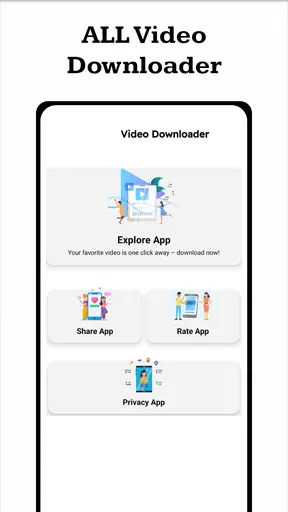
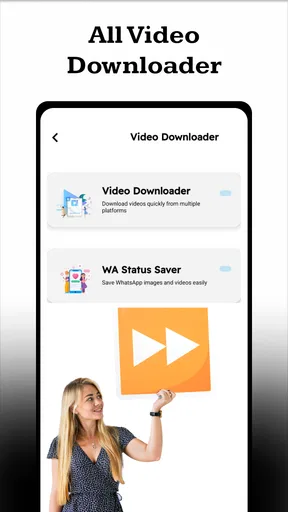
Our Review of XNX Video Downloader Pro
 Analysis by Appyee
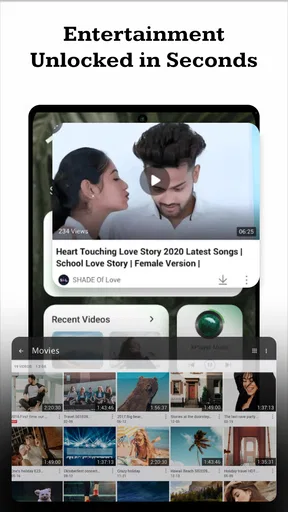
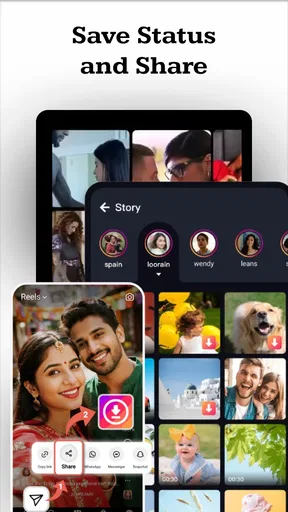
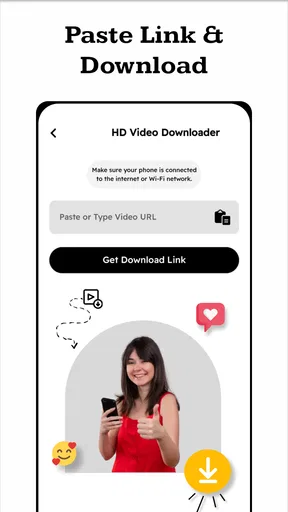
I approached XNX Video Downloader Pro as a practical video utility rather than as an app promising to replace every social platform at once. Its purpose is straightforward: help users save reels, stories, and short clips for offline viewing. That makes it appealing when a connection is unreliable, when mobile data is limited, or when you want to keep a useful clip available during a commute. My overall impression is that its value depends less on flashy extras and more on whether its basic download workflow fits your daily habits.
The app sits in the video players and editors category, and it is developed by TULSI ENTERPRISE 970. It is free to use, carries an Everyone age rating, and has reached over ten thousand installs. Those details make it easy to try without committing money, while the broad age rating suggests a simple audience and a general-purpose use case. It runs on Android 7.0 or later, so it is not restricted to recent phones.
How the downloader feels in everyday use
I find this downloader easiest to judge by the small, practical task it is meant to support: keeping a few short videos available when opening the original feed is inconvenient. In the section ahead, I’ll focus on the everyday trade-off between quick access and the extra care that local files need, then turn to what a first-time user should check before relying on a saved clip.
Speed depends on the whole download path
When people hear “video downloader,” they often think only about the app itself. In practice, perceived speed comes from several points at once: the original clip, the network connection, the source service, the phone’s storage, and the time needed to process the file. I would therefore judge this app by how little friction it adds between finding a short video and having it available offline, rather than expecting every download to finish instantly.
Short clips are naturally a good match for this kind of tool. A small reel or story is easier to save and check than a long, high-resolution video, especially on a modest phone. If your routine involves collecting a few clips for a flight, a classroom presentation, or a personal reference folder, the app’s focused purpose makes more sense than opening a full editing suite every time.
A useful habit is to start downloads while connected to stable Wi-Fi and then leave the app alone until the transfer is complete. Switching repeatedly between demanding apps can make any downloader feel less responsive, particularly on older hardware. I also recommend checking available storage before saving several clips, because offline video collections grow faster than expected when they are not reviewed regularly.
What happens during heavier use
The experience changes when the app is asked to handle many clips in one sitting. A single short video is a light request, but a long queue can involve repeated network activity, file writing, thumbnail updates, and background work from the operating system. On a newer phone, that may feel routine. On an older device, the same session can compete with messaging, music playback, or navigation.
For that reason, I would not treat this as a bulk archiving solution without first testing your own workflow. Save a small group, confirm that the files appear where you expect them, and only then continue. This simple check can prevent a frustrating situation in which a weak connection interrupts several attempts or storage fills with duplicates.
There is also a practical trade-off between convenience and organization. Saving every interesting short clip creates a cluttered library that becomes difficult to search later. I get better results by using a naming or folder routine immediately after downloading, if the phone’s file tools allow it. Keeping separate groups for recipes, travel ideas, study material, or personal references makes offline access genuinely useful instead of turning the device into an unmanageable pile of videos.
Stability matters more than a quick first impression
A downloader earns trust when it behaves predictably after interruptions. Mobile connections drop, apps are closed accidentally, and phones may restrict background activity to preserve battery. I would pay attention to whether an interrupted task can be identified easily, whether a failed attempt is obvious, and whether retrying is simpler than starting the entire process from scratch.
My advice is to verify the result before leaving the network. Open the saved clip, make sure the picture and sound are present, and confirm that it plays without relying on the original service. This is especially important if you are preparing content for a trip or an area with poor reception. A file that appears to be present but has not completed properly is not useful when you are already offline.
Another reliability point is source compatibility. Reels, stories, and short clips may come from different services and may not all behave identically. A downloader can be convenient for supported public content, but it should not be treated as a guarantee that every link or every page will work the same way. If a particular source repeatedly fails, I would avoid wasting time retrying it and use the platform’s own offline option when available.
Older phones and limited storage need a different approach
The minimum operating system is Android 7.0, which gives the app a reasonably broad reach across Android devices. That does not mean every compatible phone will deliver the same experience. A device that is technically supported may still have limited memory, slow storage, an older processor, or aggressive battery management. Those differences are likely to be felt most during repeated downloads, not necessarily during a quick first launch.
On a lower-end phone, I would keep the workflow deliberately small: download one item, check it, move it to the right folder, and then continue. Avoiding a large queue reduces the chance of confusion and makes it easier to identify whether a problem came from the connection, the source clip, or the device itself. Closing unrelated heavy apps can also help keep the phone responsive while files are being written.
Storage is the constraint many users overlook. Offline video is convenient precisely because it remains on the phone, but that convenience consumes space. I recommend treating saved clips as temporary working files unless you have a clear reason to keep them. After watching or using one, delete it rather than allowing old downloads to compete with photos, updates, and essential documents.
A realistic scenario: preparing for a disconnected day
Imagine that I am leaving home early for a day of travel and expect patchy reception. The night before, I collect a few short clips that I want to watch or reference later. I connect to Wi-Fi, save them one at a time, open each file to confirm playback, and remove anything that downloaded twice. I then check storage and keep the collection limited to what I will realistically use.
That workflow shows where the app can be genuinely helpful. It is not just about downloading for the sake of downloading; it is about turning selected short-form content into something available when the original feed is inconvenient. The verification step is important because it separates a successful offline library from a list of hopeful filenames.
The same approach works for a student gathering short instructional clips, a cook keeping a recipe demonstration nearby, or someone saving reference material for a presentation. In each case, the benefit comes from selecting content carefully and organizing it afterward. The app is most useful when it supports a small, purposeful collection rather than an endless archive.
Where it differs from the usual alternatives
The most obvious alternative is simply using the original video service. That option may be better when you need account-based organization, creator interaction, official offline playback, or a clear way to respect the platform’s rules. Built-in tools also tend to keep the viewing experience connected to the source, which can be preferable if you want comments, updates, or recommendations.
Another alternative is a full video editor. An editor is the stronger choice when your goal is trimming, adding captions, adjusting sound, combining clips, or producing a finished post. This app’s appeal is narrower: it focuses on getting short videos onto the device for offline access. Choosing it instead of an editor makes sense only when saving is the main task.
Manual screen recording is another workaround, but it often creates extra steps and may capture notifications, interface elements, or uneven playback. A dedicated downloader can be cleaner when the source and intended use are appropriate. However, screen recording may still be preferable for content that cannot be obtained through a normal download workflow, provided the recording respects privacy, ownership, and platform rules.
Practical habits that improve the experience
- Test one clip first: Before starting a larger batch, confirm that the source works and that the resulting file plays correctly on your phone.
- Use a clear storage routine: Review saved videos after a trip, project, or viewing session so temporary files do not become permanent clutter.
- Separate saving from editing: If you need cuts, captions, or a montage, download only the source material you need and finish the creative work in an editor designed for that purpose.
- Retry intelligently: When a download fails, check the connection and source first instead of repeatedly tapping the same action without changing anything.
These habits also answer a common concern: whether the app is suitable for dependable offline preparation. It can be, but dependability comes from combining the tool with verification and sensible storage management. No downloader can remove the uncertainty created by a changing source, an unstable connection, or a phone that is nearly full.
Questions I would consider before installing
If you are wondering whether it works on an older Android phone, the stated minimum is Android 7.0. That makes it accessible to many existing devices, although compatibility does not promise identical speed on every model. A newer phone with more free storage will generally be a more comfortable environment for repeated video saving than an aging device with very little space.
If you are asking whether it is suitable for every kind of online video, I would set expectations carefully. Its stated focus is reels, stories, and short clips, so that is where I would try it first. I would not choose it on the assumption that every service, link type, or protected piece of content will behave identically.
If you want to know whether it replaces an editor, my answer is no. It may help you collect source clips, but editing is a separate job. Choose a dedicated editor when you need a polished result, and choose the original platform when official offline viewing or account features matter more than keeping a separate local file.
If cost is the deciding factor, the app is free, which lowers the barrier to testing it for a small personal workflow. Even so, free does not mean it is automatically the best option for everyone. Users who care most about advanced organization, official platform support, or a complete editing workspace may be better served elsewhere.
Finally, think about how you intend to use saved material. Keeping a clip for private offline viewing is a different situation from reposting it, editing it into a new publication, or sharing it commercially. I would always consider the creator’s rights and the rules of the source service before distributing anything downloaded.
My performance-focused verdict
After looking at the app through the lens of speed, heavy use, stability, and device limits, I see it as a focused utility for people who regularly need selected short videos available away from a live connection. Its free access and support for Android 7.0 or later make experimentation easy, while its current version, 1.0, suggests that users should keep their expectations practical and judge the workflow on their own device.
The strongest use case is selective offline saving, not unlimited video management. I would recommend it to someone preparing a modest collection of reels, stories, or short clips for travel, reference, or occasional viewing. I would skip it if I mainly need professional editing, official platform features, large-scale archiving, or a highly developed media library.
For me, the deciding test is simple: save a few relevant clips, confirm that they play offline, and see how comfortably the phone handles the process. If that small trial fits your routine, XNX Video Downloader Pro can be a useful addition to your Android toolkit. If it creates more organizing and compatibility work than it removes, the original platform’s tools or a dedicated editor will be the better choice.
Verdict
Strengths of XNX Video Downloader Pro
- Downloads videos for offline viewing with a simple workflow.
- Supports saving content directly to your device’s local storage.
- Useful when traveling or in areas with limited internet access.
- Pro version may offer a cleaner experience with fewer interruptions.
- Built-in file management makes downloaded videos easier to find.
Limitations of XNX Video Downloader Pro
- Download availability can vary depending on the source platform.
- Some videos may be restricted by copyright or regional limitations.
- Large files can quickly consume storage space and mobile data.
- Download speeds may depend heavily on the source server and connection.
- Users should carefully review permissions and privacy practices before installing.
Similar Picks in This Category
View All
Google TV
Google LLC3.9

iTunes
Apple4.7

YouTube
Google LLC3.8

MX Player
Amazon Mobile LLC4.2

CapCut - Video Editor
Bytedance Pte. Ltd.3.5

PLAYit-All in One Video Player
PLAYIT TECHNOLOGY PTE. LTD.4.5
Frequently Asked Questions
What is XNX Video Downloader Pro used for?
XNX Video Downloader Pro is presented as a tool for saving online video content to a mobile device for later viewing. Before downloading, users should confirm which websites and file formats the app actually supports, because compatibility can vary between Android and iOS versions. It should only be used with videos that you own, have permission to download, or that are offered for legitimate offline access.
Is XNX Video Downloader Pro safe to install?
Safety depends largely on where the application is obtained and which permissions it requests. Downloading an APK or app from an unofficial website can expose your device to modified software, intrusive advertising, or malware. Check the developer information, recent user reviews, requested permissions, privacy policy, and security scan results before installation. Avoid versions that demand unnecessary access to contacts, messages, or accessibility features.
Can XNX Video Downloader Pro download videos from every website?
No downloader can reliably support every website, and XNX Video Downloader Pro may be limited by the platform, browser technology, regional restrictions, or copyright protection used by a particular service. Some websites also prohibit downloading in their terms of use. Users should test the app only with permitted content and should not expect it to bypass subscriptions, encryption, DRM, private accounts, or other technical protections.
Does XNX Video Downloader Pro work on both Android and iPhone?
Availability and functionality may differ significantly between Android and iOS. Android versions can sometimes offer broader file-management and browser integration, while Apple restricts how applications access downloads and store files. Before installing, verify that the version is intended for your device, check its minimum operating-system requirement, and confirm whether the advertised features are genuinely available on your platform rather than assuming both versions work identically.
Are there any costs, ads, or privacy concerns with XNX Video Downloader Pro?
The name “Pro” does not necessarily mean that every feature is free or that the app is completely ad-free. Review the store listing or official download page for subscription terms, one-time purchases, advertisements, and trial conditions before proceeding. Also examine the privacy policy to understand whether browsing activity, downloaded files, device identifiers, or analytics data are collected and shared with third parties.
